
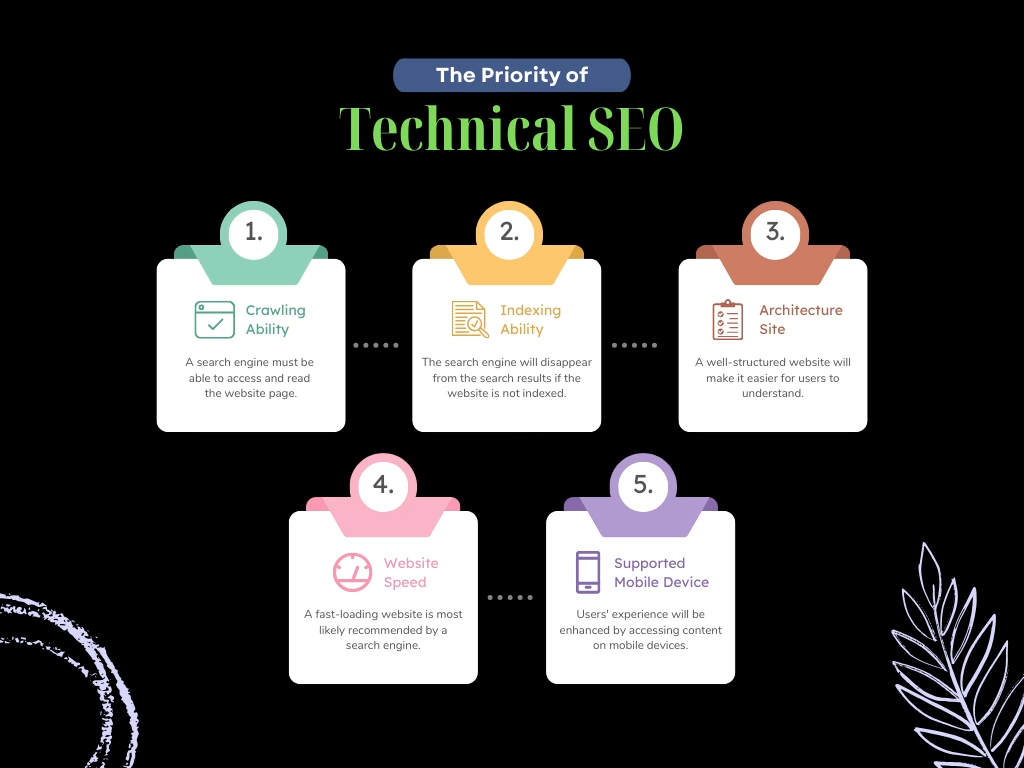
Quick Answer: Technical SEO ensures search engines can crawl, index, render, and understand your site quickly. For Pakistani enterprises, that means clean crawl paths, canonical control, passing Core Web Vitals (LCP, INP, CLS), valid schema markup, and correct hreflang. A technical SEO expert in Pakistan audits all these layers in that order.
Key Takeaways
- Sequence matters: crawlability, then indexability, then rendering and speed, then structured data. Fixing schema on pages Google can’t index is wasted effort.
- Core Web Vitals targets (75th percentile, field data): LCP ≤ 2.5 s, INP ≤ 200 ms, CLS ≤ 0.1, measured separately for mobile and desktop.
- Mobile-first is the baseline. Google indexes the mobile version of your content, so mobile parity is a ranking prerequisite.
- Crawl budget is an enterprise problem. It matters most for sites with large URL inventories, faceted navigation, or frequently changing content.
- Canonicals, sitemaps, and hreflang are hints, not commands. Contradictory signals make Google choose for you.
- Validate with data: Search Console, CrUX, and server logs, not just lab scores.
The Role of Technical SEO in High-Competition Niches
In real estate, e-commerce, fintech, education, and telecom, most serious competitors publish comparable content and build comparable links. When content quality is at parity, technical execution decides who gets crawled faster, indexed more completely, and rendered more reliably. It is the least glamorous part of SEO and often the biggest lever.
Pakistani enterprise sites tend to share a recognizable set of problems:
- Plugin and page-builder bloat on WordPress and WooCommerce, producing heavy DOMs and render-blocking assets.
- Faceted navigation on property and product listings that generates thousands of near-duplicate parameter URLs.
- Client-side rendered frameworks (React, Angular) shipping empty HTML shells that depend on JavaScript for content.
- Offshore or underpowered hosting that adds latency for local users.
- Inconsistent canonical, redirect, and protocol handling after redesigns (http/https, www/non-www, trailing slashes).
A competent technical SEO expert in Pakistan treats these as engineering defects with measurable fixes, not vague “optimization opportunities.”
Core Web Vitals & Server Performance in Pakistan
Core Web Vitals are Google’s field-measured user experience metrics. They are assessed at the 75th percentile of real-user data from the Chrome UX Report (CrUX), so a fast lab score on your developer’s laptop proves little.
| Metric | What It Measures | Good | Needs Improvement | Poor |
|---|---|---|---|---|
| LCP (Largest Contentful Paint) | Load time of the largest visible element | ≤ 2.5 s | 2.5-4.0 s | > 4.0 s |
| INP (Interaction to Next Paint) | Responsiveness across all interactions | ≤ 200 ms | 200-500 ms | > 500 ms |
| CLS (Cumulative Layout Shift) | Unexpected visual movement | ≤ 0.1 | 0.1-0.25 | > 0.25 |
INP replaced First Input Delay as the responsiveness metric in March 2024. If your reporting still references FID, it is outdated.
Run PageSpeed Insights first and read the field data panel before the lab diagnostics. If CrUX data is unavailable because the site lacks traffic, rely on lab tests and real-user monitoring you instrument yourself.
The Pakistan-Specific Performance Context
Your audience is predominantly on mid-range Android devices over variable 4G connections. That raises the cost of every kilobyte of JavaScript and every round trip to a distant origin. Practical implications:
- Server location and TTFB. Aim for a Time to First Byte under roughly 800 ms at the 75th percentile. Hosting only in the US or EU adds latency for local visitors. Use a CDN with edge presence close to South Asia and cache HTML at the edge where the page isn’t personalized.
- Throttle your testing. Test on a mid-tier mobile profile, not a desktop on fiber.
Fixing LCP
- Identify the LCP element (usually a hero image or headline) and preload it with
<link rel="preload" as="image">plusfetchpriority="high". - Never lazy-load the LCP image. This is among the most common self-inflicted errors.
- Serve responsive images in AVIF or WebP using
srcsetandsizes. - Eliminate render-blocking CSS and JS; inline critical CSS and defer the rest.
- Reduce TTFB through full-page caching, database query optimization, and persistent object caching.
Fixing INP
- Profile long tasks (over 50 ms) in Chrome DevTools and break them up, yielding to the main thread between chunks.
- Audit third-party scripts: chat widgets, tag managers, heatmaps, and ad pixels are the usual offenders. Load them after interaction or via a facade.
- On JavaScript frameworks, reduce hydration cost with server-side rendering, partial hydration, or code splitting.
Fixing CLS
- Set explicit
widthandheight(oraspect-ratio) on images, videos, and iframes. - Reserve space for ad slots, cookie banners, and embeds.
- Use
font-display: swapwith size-adjusted fallback fonts. Urdu Nastaliq web fonts are large; subset them and preload only what the first viewport needs.
For metric definitions, measurement methodology, and field-versus-lab guidance, consult the Web.dev documentation. Treat it as the source of truth when a vendor’s report disagrees with your findings.
Crawl Budget Optimization & Indexing Architecture
Google states that crawl budget management is mainly relevant for very large sites (roughly a million or more unique URLs) or mid-size sites with 10,000+ pages that change daily. A 300-page corporate site doesn’t need to worry. A property portal or marketplace does.
Diagnose Before You Block
Start with server log analysis. Segment Googlebot hits by directory, status code, and URL pattern. Look for crawl waste: parameter URLs, internal search results, session IDs, redirect chains, and soft 404s consuming requests that should go to revenue pages. Cross-reference with the Search Console Crawl Stats report and the Page Indexing report.
Control the URL Inventory
- Robots.txt stops crawling, not indexing. Use it to disallow low-value crawl traps such as internal search and infinite filter combinations. Do not use it on pages carrying a
noindextag, since Google can’t see a directive on a page it can’t fetch. - Canonicalization. Every indexable URL should carry a self-referencing
rel="canonical"with an absolute URL. For parameterized duplicates, canonicalize to the clean version. Remember that Google treats canonicals as a hint; conflicting signals (internal links, sitemaps, redirects) can override it. - Status codes. Use 301 for permanent moves, 404 or 410 for removed content, and eliminate redirect chains longer than one hop. Fix soft 404s: thin or empty pages returning 200.
- Pagination. Google no longer uses
rel="next"andrel="prev". Make paginated pages crawlable through standard links, self-canonical each page, and avoid canonicalizing page 2+ to page 1.
XML Sitemaps Done Right
- Include only canonical, indexable, 200-status URLs.
- Respect limits: 50,000 URLs or 50 MB uncompressed per file. Use a sitemap index to organize by section (products, categories, articles).
- Keep
lastmodaccurate and update it only on meaningful content changes. Google ignorespriorityandchangefreq. - Reference the sitemap in
robots.txtand submit it in Search Console.
Segmented sitemaps let you compare submitted versus indexed counts per section, which is the fastest way to find where indexing breaks down.
Internal Linking and Rendering
Keep priority pages within three clicks of the homepage, eliminate orphan pages, and use crawlable <a href> links rather than JavaScript click handlers. If content is injected client-side, verify it appears in the rendered HTML using the URL Inspection tool, and prefer server-side rendering or static generation for critical templates.
Implementing Advanced Structured Data (JSON-LD)
Use JSON-LD, Google’s recommended format, and model your entities as a connected graph using @id references rather than isolated blocks. Prioritize these types:
- Organization / LocalBusiness: brand identity, logo, contact points,
sameAsprofiles - WebSite and BreadcrumbList: site context and hierarchy
- Article / BlogPosting: author, publication date, and modified date
- Product and Offer: price in PKR, availability, and review data for e-commerce
- Service and FAQPage: where content on the page genuinely supports them
A baseline Organization entity:
<script type="application/ld+json">
{
  "@context": "https://schema.org",
  "@type": "Organization",
  "@id": "https://www.example.com.pk/#organization",
  "name": "Example Company Pvt Ltd",
  "url": "https://www.example.com.pk/",
  "logo": "https://www.example.com.pk/assets/logo.png",
  "contactPoint": {
    "@type": "ContactPoint",
    "telephone": "+92-51-0000000",
    "contactType": "customer service",
    "areaServed": "PK",
    "availableLanguage": ["en", "ur"]
  },
  "sameAs": [
    "https://www.linkedin.com/company/example",
    "https://www.facebook.com/example"
  ]
}
</script>
Implementation rules:
- Markup must reflect visible page content. Marking up data users can’t see risks a manual action.
- Generate schema server-side or in the template, not through a tag manager, where timing and rendering failures are harder to detect.
- Validate with Google’s Rich Results Test and the Schema.org Markup Validator, then monitor Search Console enhancement reports for errors after every release.
- Note that Google has restricted FAQ rich results to authoritative government and health sites. FAQ markup still helps machines interpret your content, but don’t expect visual SERP enhancements.
Mobile-First Indexing & Multilingual Technical Setup
Google crawls and indexes the mobile version of your pages for all sites. If your mobile template hides content, strips structured data, or drops internal links to save space, you are ranking on the reduced version.
Mobile Parity Checklist
- Identical primary content, headings, and meta tags across mobile and desktop
- Same structured data and canonical tags on both versions
<meta name="viewport" content="width=device-width, initial-scale=1">present- CSS, JS, and images not blocked in robots.txt
- Tap targets and font sizes usable on small screens
- Lazy-loaded content that loads on scroll rather than requiring interaction Googlebot won’t perform
Responsive design remains the simplest configuration. Separate m. subdomains and dynamic serving multiply parity risk.
Hreflang for English and Urdu
If you serve English and Urdu versions, or target both Pakistan and international audiences, implement hreflang correctly:
<link rel="alternate" hreflang="en-pk" href="https://www.example.com.pk/en/" />
<link rel="alternate" hreflang="ur-pk" href="https://www.example.com.pk/ur/" />
<link rel="alternate" hreflang="x-default" href="https://www.example.com.pk/" />
Rules that prevent most hreflang failures:
- Annotations must be reciprocal: if A points to B, B must point back to A.
- Each page lists itself in its own set, with absolute URLs.
- Use valid ISO 639-1 language codes and optional ISO 3166-1 region codes.
- Each language version should carry a self-referencing canonical. Never canonicalize the Urdu page to the English one.
- Declare the language and direction in HTML:
<html lang="ur" dir="rtl">. - Use separate crawlable URLs (subdirectories are simplest). Avoid IP- or cookie-based redirects that stop Googlebot reaching alternate versions.
- Hreflang can be delivered via HTML head, HTTP headers, or XML sitemap. Choose one method to avoid conflicts. Sitemaps scale best on large sites.
Technical SEO Audit Checklist Table
A technical SEO audit should output prioritized, ticket-ready findings, not a 200-page PDF of warnings. Our SEO Experts Pakistan technical team structures audits around the framework below, scoring each item by severity and implementation effort so developers know what to ship first.
| Area | Check | Tool | Pass Criteria |
|---|---|---|---|
| Crawlability | Robots.txt rules, crawl traps, log analysis | Server logs, Screaming Frog, Search Console | No key templates blocked; crawl waste under control |
| Indexability | Index coverage, noindex tags, soft 404s | Search Console Page Indexing | Priority URLs indexed; exclusions explained |
| Canonicalization | Self-referencing canonicals, parameter duplicates | Crawler, URL Inspection | Google-selected canonical matches declared canonical |
| XML Sitemaps | Only 200, canonical, indexable URLs | Search Console Sitemaps | Submitted vs. indexed gap explained |
| Redirects | Chains, loops, 302s used as permanent | Crawler, logs | Single-hop 301s; no loops |
| LCP | Hero element load time and TTFB | PSI, CrUX, RUM | ≤ 2.5 s at p75, mobile |
| INP | Long tasks, third-party scripts | CrUX, DevTools | ≤ 200 ms at p75 |
| CLS | Missing dimensions, late-loading embeds | CrUX, Lighthouse | ≤ 0.1 at p75 |
| Rendering | JS-dependent content in rendered HTML | URL Inspection, rendered crawl | Critical content visible without interaction |
| Structured Data | Validity and content match | Rich Results Test, Search Console | Zero critical errors |
| Mobile Parity | Content, links, and schema parity | Mobile crawl, URL Inspection | Equivalent to desktop |
| Hreflang | Reciprocity, codes, canonical alignment | Crawler, Search Console | No return-tag or code errors |
| Security & Protocol | HTTPS, HSTS, mixed content | Crawler, browser tools | All URLs resolve to a single HTTPS version |
Run a full audit before any redesign or migration, then repeat quarterly. Run a lighter monthly check on Core Web Vitals, index coverage, and crawl errors.
Frequently Asked Questions
What does a technical SEO expert in Pakistan actually do?
They audit and fix the infrastructure that determines how search engines access, render, and interpret your site: crawl paths, indexing controls, speed, structured data, and international setup. They also work with your developers to implement and verify the fixes.
What are Core Web Vitals, and do they affect rankings?
Core Web Vitals are LCP, INP, and CLS: field-measured metrics for loading, responsiveness, and visual stability. They are part of Google’s page experience signals. They won’t outrank highly relevant content on their own, but they act as a meaningful tiebreaker and strongly influence conversion rates.
How often should I run a technical SEO audit?
Run a comprehensive audit annually and before any migration or redesign. For active enterprise sites, review Search Console, Core Web Vitals, and crawl stats monthly, and schedule a deeper review quarterly.
Does site speed optimization in Pakistan differ from other markets?
The metrics are identical, but the conditions differ. Mid-range Android devices, variable mobile networks, and hosting distance raise the penalty for heavy JavaScript and slow origin responses. Test under throttled mobile conditions and use a CDN with nearby edge locations.
Do I need hreflang if my site is only in English?
Not necessarily. Hreflang is needed when you serve multiple language or regional versions of equivalent content, such as English and Urdu pages, or separate Pakistan and UAE versions. Single-language, single-region sites can skip it.
How long do technical SEO fixes take to show results?
Crawl and indexing fixes can show up in Search Console within days to weeks. Core Web Vitals field data uses a rolling 28-day window, so improvements appear gradually. Ranking and traffic impact typically follows over one to three months.
Request a Professional Technical SEO Audit
If your team is shipping features faster than anyone is checking their SEO impact, a structured audit will show what is costing you crawl efficiency, indexation, and speed. Our deliverable is a prioritized backlog with severity scores, developer-ready specifications, and verification steps, not a generic scan report.
You can book a technical review with our team. Share your site URL, platform or stack, and any known issues such as traffic drops or migration plans, and we will scope the engagement accordingly.